

In today’s digital world, social media is one of the most powerful tools to connect with your audience, build your brand, and drive sales. But managing multiple platforms, creating consistent content, and tracking results can feel overwhelming. That’s where social media marketing tools come in. These tools help you streamline your workflow, save time, and make smarter decisions based on real data.
Whether you’re a small business owner, an entrepreneur, or a social media manager, using the right tools can completely transform the way you approach social media. In this guide, we’ll cover everything—from what these tools are and why you need them, to the best options available and tips for choosing the perfect tool for your business.
What Are Social Media Marketing Tools?
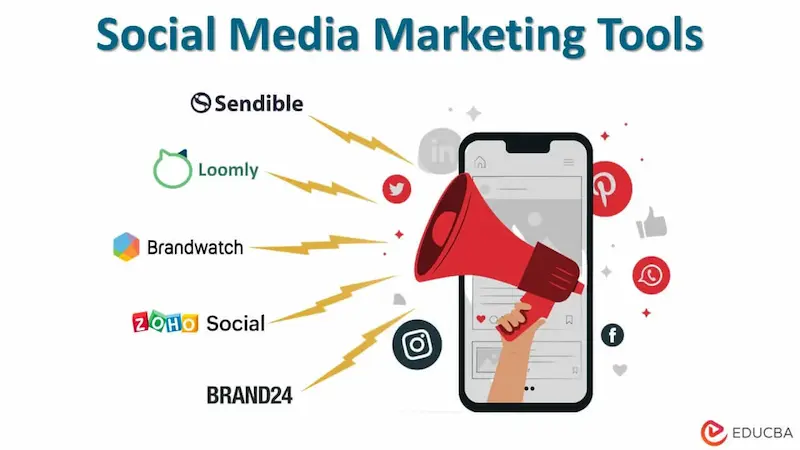
Social media marketing tools are software solutions designed to help you manage and improve your social media strategy. They typically offer features like:
- Scheduling posts across multiple platforms
- Tracking engagement and performance metrics
- Creating and editing visuals for posts
- Monitoring competitors and trends
- Automating repetitive tasks like replying to comments
Think of these tools as your social media assistant—they help you stay organized, consistent, and strategic while freeing up time for creativity and interaction.
Why You Need Social Media Marketing Tools
If you’re serious about growing your social media presence, these tools are essential. Here’s why:
1. Save Time and Effort
Manually posting on Facebook, Instagram, Twitter, LinkedIn, and Pinterest every day is exhausting. Scheduling tools let you plan weeks or even months in advance so your accounts remain active without constant manual effort.
2. Optimize Your Posting Schedule
Many tools analyze your audience activity and recommend the best times to post. This ensures your content reaches more people and gets higher engagement.
3. Measure Performance
Understanding what works is key. Analytics features allow you to track likes, comments, shares, and click-through rates. With this data, you can focus on strategies that actually produce results.
4. Improve Creativity
Content creation tools, like Canva, allow you to design professional-looking graphics, videos, and stories—even if you have no design experience. Your posts will look polished and eye-catching.
5. Stay Competitive
Some tools provide insights into your competitors’ strategies, trending topics, and industry benchmarks. This can help you adjust your content strategy and stay ahead.
Key Features to Look for in Social Media Marketing Tools
When selecting a tool, it’s important to know which features will benefit your business the most. Here are some features to consider:
- Scheduling & Automation – Post content across multiple platforms automatically.
- Analytics & Reporting – Track performance, engagement, and ROI.
- Content Creation – Built-in graphic design and video editing features.
- Social Listening – Monitor brand mentions, hashtags, and conversations.
- Team Collaboration – Manage roles, approvals, and workflow for teams.
- Integration – Works with other tools like email marketing platforms, CRM software, or e-commerce platforms.
You may also like to read it:
Digital Marketing Tips for Beginners – Step-by-Step Guide
Cloud Computing Solutions for Small Business: Complete Guide
Startup Growth Hacking Tips: Proven Strategies To Scale Fast
Marketing Automation Tools 2026 | Top Platforms For Growth
Top Social Media Marketing Tools You Should Consider
Here’s a detailed look at some of the most effective social media marketing tools available today:
1. Hootsuite
Hootsuite is one of the most comprehensive tools for managing multiple accounts. You can schedule posts, track analytics, and monitor conversations all in one place. Ideal for businesses of all sizes, Hootsuite also offers team collaboration features.
Key Features: Post scheduling, analytics dashboard, social listening, team management
Best For: Businesses managing multiple platforms
2. Buffer
Buffer is known for its simplicity and ease of use. It allows you to schedule posts, measure engagement, and generate reports. The intuitive interface makes it great for beginners or small businesses.
Key Features: Post scheduling, performance analytics, browser extension
Best For: Small businesses and individual marketers
3. Canva
Canva isn’t just a design tool—it’s a social media marketing powerhouse. You can create graphics, stories, and even videos with customizable templates. Canva also lets you plan and schedule posts directly to social media.
Key Features: Graphic and video creation, templates, post scheduling
Best For: Visual-heavy platforms like Instagram, Pinterest, and Facebook
4. Sprout Social
Sprout Social combines scheduling, analytics, and audience engagement tools in one platform. It’s particularly useful for larger teams thanks to its collaboration features and detailed reporting.
Key Features: Scheduling, analytics, CRM, social listening
Best For: Medium to large businesses and agencies
5. Later
Later specializes in visual content planning, making it perfect for Instagram and Pinterest. Its drag-and-drop calendar simplifies content scheduling, and you can preview how your feed will look before posting.
Key Features: Visual calendar, media library, Instagram planning tools
Best For: Brands focusing on Instagram aesthetics
6. BuzzSumo
BuzzSumo is great for content research. It helps you find trending topics, identify key influencers, and analyze what type of content performs best in your niche.
Key Features: Content research, trend tracking, influencer identification
Best For: Content marketers and bloggers
7. SocialBee
SocialBee allows you to automate posting while keeping your content organized by categories. It’s perfect for maintaining a diverse and consistent posting schedule.
Key Features: Content categorization, automation, analytics
Best For: Businesses seeking organized posting and automation
8. Loomly
Loomly is a content creation and scheduling platform that provides post ideas based on trending topics. It also offers analytics to measure performance and optimize content strategy.
Key Features: Post scheduling, content ideas, analytics, approval workflow
Best For: Teams and content marketers
How to Choose the Right Social Media Marketing Tool
Choosing the right tool can feel overwhelming. Here’s a simple process to help you decide:
- Define Your Goals – Are you focused on engagement, sales, brand awareness, or lead generation?
- Identify the Platforms You Use – Make sure the tool supports all your active social media accounts.
- Evaluate Features – Compare features like scheduling, analytics, content creation, and automation.
- Test Usability – Most tools offer a free trial—test them to see if the interface feels intuitive.
- Consider Pricing – Free tools are great for beginners, but paid tools usually offer essential advanced features.
- Look for Support – Reliable customer service and regular updates are important for smooth operation.
FAQs About Social Media Marketing Tools
Q1: Can I manage all my social media accounts with one tool?
Yes! Tools like Hootsuite and Sprout Social allow you to manage multiple platforms from a single dashboard.
Q2: Are social media marketing tools worth the investment?
Absolutely. They save time, improve engagement, and help you make data-driven decisions that grow your online presence.
Q3: Do I need technical skills to use these tools?
Not at all. Most tools are designed to be intuitive, even for beginners. Some, like Canva, even guide you through creating professional designs.
Q4: Can these tools increase engagement on my posts?
Yes! Scheduling posts at optimal times, analyzing trends, and using high-quality visuals can significantly boost engagement.
Conclusion
Investing in the right social media marketing tools is one of the smartest moves you can make for your online presence. From automating posts to tracking analytics and creating engaging content, these tools help you save time, improve results, and focus on growing your brand.
Whether you’re just starting out or managing multiple accounts for a large organization, using these tools strategically can take your social media efforts to the next level. Start exploring the options today and watch your social media presence flourish!


